What to do when AI fixes keep breaking your vibe-coded app

By Oleksii Skurikhin · Delivery Manager
- Published
- Updated
- 5 min read
Save a restore point before each fix, then answer five yes/no questions to decide whether to keep prompting, pause and add a test, or have an engineer look. With the three git commands and what to hand over.
Key takeaways
- After a fix does not hold, start with a fresh, more specific prompt; if the same kind of failure keeps coming back, answer five yes/no questions before the next fix request.
- Save a restore point (a version you can go back to) before each fix: four git commands name it, mark and list what the fix changed, and bring the project back.
- The five questions cover breakage nearby, bugs that return, missing automated tests, changes you would struggle to explain, and real users, money or personal data depending on the app.
- As a rule of thumb, 0 yeses means keep prompting with a restore point, 1 yes (or 2 without question 5) means pause and add a test, and any other combination means an engineer should look first.
- On 5 October 2026, a freeCodeCamp tutorial by Amir Gabay described the AI coding agent fix loop: after a fix request, the bug stays or a second bug appears.
Your app worked at first, and now every change your AI tool makes breaks something else. Before the next fix request, save a restore point (a version of the project you can go back to) and try one fresh, more specific prompt. If the same kind of failure keeps coming back, five yes/no questions help you decide whether to keep prompting, pause and add a test, or have an engineer look before the next change.
The freeCodeCamp tutorial by Amir Gabay, published 5 October 2026 describes the fix loop of AI coding agents: something breaks in an app built with an agent, you ask the agent to fix it, and the bug is still there or a second bug appears. The tutorial says this is not a quirk of one product.
The Claude Code documentation, best-practices page says that if you have corrected Claude more than twice on the same issue in one session, you should start fresh with a more specific prompt. As advice, a fresh, more specific prompt is the first thing to try after a fix does not hold. Write it so a stranger could repeat the bug: the page, the steps that break it, what you expected and what you saw.
Save a restore point before that prompt, and before every fix after it. In git, the tool that keeps a project's version history, this takes one command, one more marks what the fix changed, and two more show and undo it. We ran all four, in this order, on 29 October 2026 with git 2.50.1. The demo project had a working cart in src/cart.js and src/format.js, already committed:
git tag before-fix-1
git add -A
git diff --stat --cached before-fix-1
git restore --source before-fix-1 --staged --worktree .
The first line names the current version before-fix-1. A one-line fix request then changed cart.js and format.js and added a new file, src/tax.js. The second line marks every change, new files included, for the next commit, and the third compares those staged changes with the restore point. It listed all three files: "3 files changed, 3 insertions(+), 2 deletions(-)". In a second run we skipped git add -A and compared with git diff --stat before-fix-1: the list showed only cart.js, and after the undo git status --short still printed ?? src/tax.js: the new file was left behind.
Compare that list with what you asked for. A one-line request that touches three files, one of them new, is worth a second look before you accept it. The last line put the project back: git status --short printed nothing, and the new tax.js was gone. Give each restore point its own name (before-fix-2, before-fix-3), so you can step back to the last version that worked. Commit your own changes before you tag: the last command puts every file back to the tagged version.
If the same kind of failure keeps coming back, use the five questions below as a rule of thumb for deciding what to do next. Copy this checklist into a notes app or a document, answer each question with yes or no, and count the yeses.
1. Does fixing one thing break something nearby?
2. Has a bug you already fixed come back?
3. Is there nothing, such as an automated test (a script that checks a feature for you), that tells you whether the app still works after a change?
4. Would you struggle to say, in two sentences, what the tool changed in its last fix?
5. Do real users, money or personal data now depend on the app?
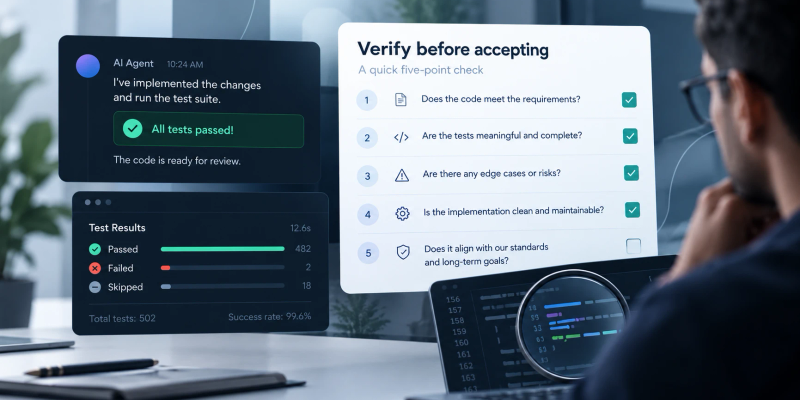
The Claude Code documentation lists tests, scripts and screenshots as forms of verification and says: “If you can’t verify it, don’t ship it.” Question 3 asks whether anything of that kind exists for your app. Question 4 is where the restore point helps. The list from git diff --stat shows which files the tool changed since the restore point, and how many lines.
What to do with the score:
- 0 yeses: keep prompting, and save a restore point (a version you can go back to) before each change.
- 1 yes, or 2 yeses without question 5: pause. Save a copy of the project, write down which questions got a yes, and ask the tool to write a test for what just broke before it changes anything else.
- Any other combination (3 or more yeses, or 2 yeses that include question 5): have an engineer look before the next change.
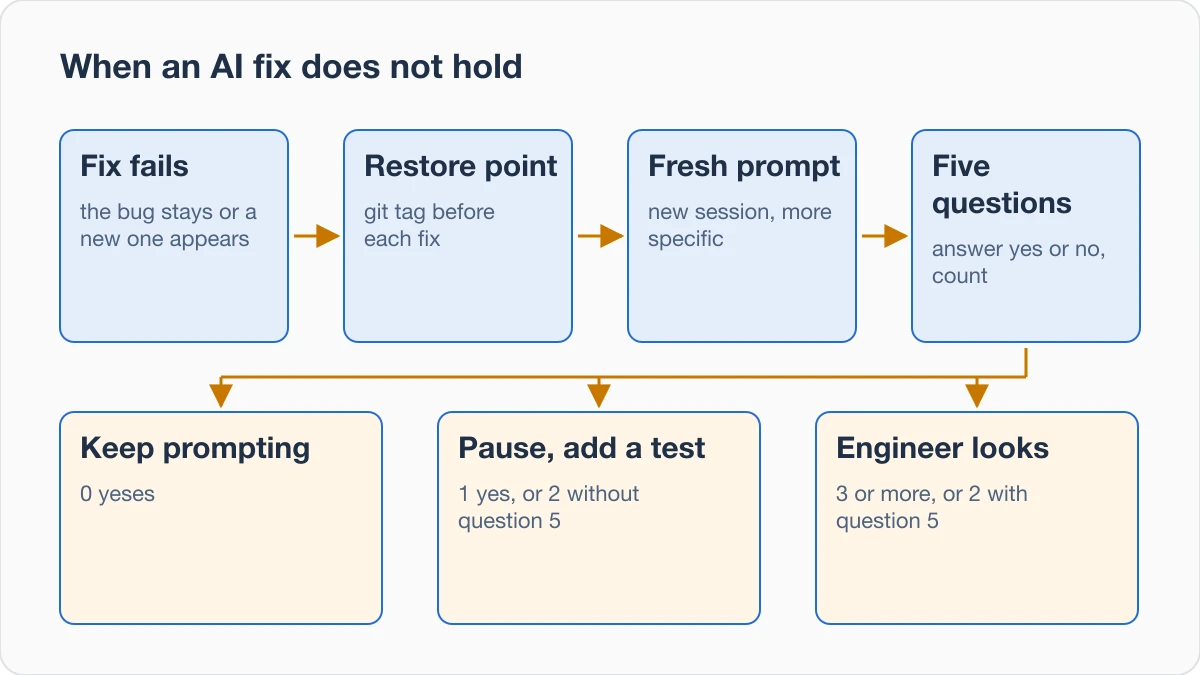
These bands are a rule of thumb, not a measured threshold. They give question 5 more weight than the others. When the tool says the new test passes, ask to see the test command and its full output. Check the counts of tests that ran, passed, failed and were skipped.
If real users or money already depend on the app, read the security checks by level. They set the level from who can open the app, what data it holds and whether money moves.
When the score points to an engineer, hand over what you already have, so nobody starts by guessing. Start with four things:
- your answers to the five questions, with their dates;
- the
git diff --statlists of the last few fixes; - the name of the last restore point where the app still worked;
- a short note of what broke after each fix, in the order it happened.
Our 60-minute launch review draws the same line: if you cannot explain what a change does, it is a job for an engineer.
Next step
Sources
Retrieved on 10 October 2026: freeCodeCamp tutorial by Amir Gabay, 5 October 2026; Claude Code documentation, best-practices page, no date shown.
About the author

Category:Software DevelopmentDebugging and stability
Back to Blog