How often should you update your app's dependencies? Daily, and do not wait for an alert

By Oleksii Skurikhin · Delivery Manager
- Published
- 6 min read
Set up daily dependency updates with a copyable Dependabot file, read your framework's security page yourself, and keep the extra pull requests small. Based on our own site in November 2026.
Key takeaways
- Update daily, because we do not want to run the old version through the week after a fix is published.
- Our site ran Next.js 16.4.2, which the 3 November 2026 advisories listed as affected, while npm audit, the command that checks packages against known problems, showed nothing for Next.js.
- Keep Dependabot's default 3-day cooldown, which lets a malicious release be pulled before you install it, and update your framework by hand the day it publishes a security release.
- Daily updates mean more pull requests; two groups, one for patches and one for minors, keep them few.
Our Dependabot now checks for updates every working day. Dependencies are the packages written by other people that your app is built on. When a security fix for one of them is published, each day you wait is a day your app still runs the old version. Two habits shorten that wait: a daily update schedule, and reading your framework's own security page yourself instead of waiting for an alert.
What happened to our own site in November?
On 3 November 2026 the Next.js team published a security release with seven advisories, which are public notices of a security problem. Our site, cmlteam.com, ran Next.js 16.4.2, and the advisories listed that version as affected. Yet npm audit, the command that checks your packages against known problems, showed nothing for Next.js, and Dependabot raised no alert for it.
Our weekly Dependabot run, GitHub's bot that opens pull requests with newer package versions, had proposed 16.4.3 on Monday 2 November. That version does not contain the November fixes. On 5 November we moved to 16.4.5 and switched Dependabot to daily. The fix went live about 43 hours after the advisories were published, and nothing broke.
Behind the weekly schedule sat an old habit of ours: do not update packages, because we wanted to know exactly what we were working with. That habit now carries big risks.
Why did neither the audit nor the weekly run catch it?
Each one waits for something different, depending on how an update reaches you.
| Path | What it waits for | What it meant in this case |
|---|---|---|
| Alerts and npm audit | GitHub to add the advisory to its database | One critical Next.js advisory was published on 14 October and reached the database on 22 October, 8 days later |
| Version updates (the Dependabot file below) | your schedule, then a 3-day cooldown after each release | The weekly run could offer 16.4.3, because 16.4.5 came out the next day |
npm audit asks the GitHub Advisory Database, and only advisories GitHub has reviewed trigger alerts. The October advisory reached the database 8 days after Next.js published it. On 5 November one of the 3 November advisories was still missing from it.
The cooldown has a good reason. GitHub reviewed 21 widely reported supply chain incidents and says a cooldown could have filtered out the majority of the short-lived malicious releases, which were pulled within hours. So we keep it. Security updates skip the cooldown.
A word about the bigger picture, which concerns operating systems and not npm packages. OpenAI wrote on 4 November that one run of its pipeline produced 948 working local privilege escalation exploits for a commonly used Linux distribution. It expects that within the next few years even less capable models may build exploits once a vulnerability is disclosed. Greg Kroah-Hartman said in July that AI models keep finding more issues, and that people should update all along the way instead of waiting for one to make waves.
How do I set up daily updates?
Save this file as .github/dependabot.yml in your repository. It checks npm every weekday, puts patch updates in one pull request and minor updates in another, and ignores major versions. The 3-day cooldown stays at its default, so the file does not mention it.
version: 2
updates:
  - package-ecosystem: "npm"
    directory: "/"
    schedule:
      interval: "daily"
    groups:
      patch:
        patterns: ["*"]
        update-types: ["patch"]
      minor:
        patterns: ["*"]
        update-types: ["minor"]
    ignore:
      - dependency-name: "*"
        update-types: ["version-update:semver-major"]
Daily means Monday to Friday, at a time Dependabot picks for you, as the options reference explains. Then turn on the rest in your repository, following GitHub's setup steps: open Settings, then Advanced Security, and click Enable next to Dependabot alerts and next to Dependabot security updates. After the first daily run, open the Insights tab, then Dependency graph, then Dependabot, to see the status of the version updates, as the version updates page describes.
Daily is a choice, not the default. GitHub's own guides say fast-moving apps may prefer weekly, and that a pile of pull requests turns into noise people ignore. We still choose daily, because we do not want to spend the week after a fix is published on the old version. Two groups keep the noise down: each run opens at most one patch pull request and one minor pull request, instead of one per package.
What should I read myself?
Your framework's own security page and its repository's advisories, because they speak before any alert. For a Next.js app that is the Next.js security news page, the Next.js blog feed at nextjs.org/feed.xml, and the security advisories of the vercel/next.js repository on GitHub. Next.js announced the 3 November release on 27 October and the 14 October update on 8 October. The critical update of 22 September was announced and shipped the same day, so subscribe to the feed instead of relying on the calendar.
On the day the framework publishes a security release on its own page, update by hand that day. The vendor's own release post names the version to install: on 3 November it was 16.4.5 for the 16.4 line and 15.5.29 for the 15.5 line. That way the framework's fix does not have to wait for the cooldown.
Not every AI builder makes Next.js apps. Vercel's builder uses Next.js, while Lovable uses TanStack Start or React with Vite, and Bolt supports any JavaScript framework that runs on the frontend. Whatever built your app, find your framework's equivalent page and its repository's advisories.
What does daily cost, and who reads the pull requests?
Daily updates cost pull requests, and someone has to read them. For minor updates that someone is a person: read the pull request, open the preview, then merge. Major versions do not come through the file above. When you want one, read the changelog and try it on a copy of the app first.
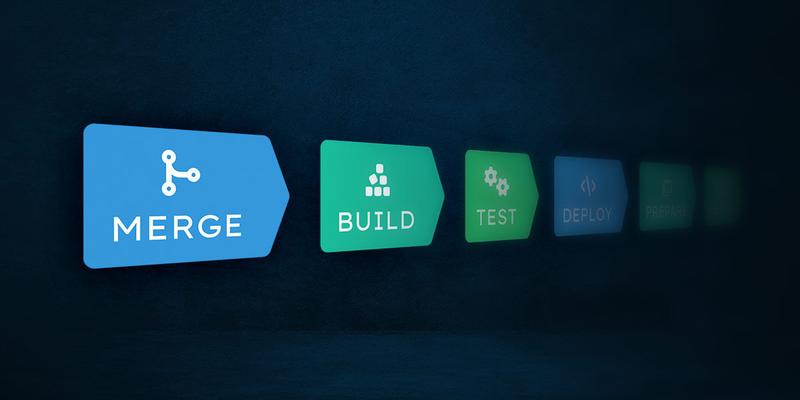
GitHub's guide shows an example that merges only patch updates, and only after the status checks you require have passed. Wire it to the patch group only, and try it on one pull request before you rely on it. It needs a test run on every change, and our post on a minimal CI/CD pipeline shows one for a small app.
What are the limits of daily updates?
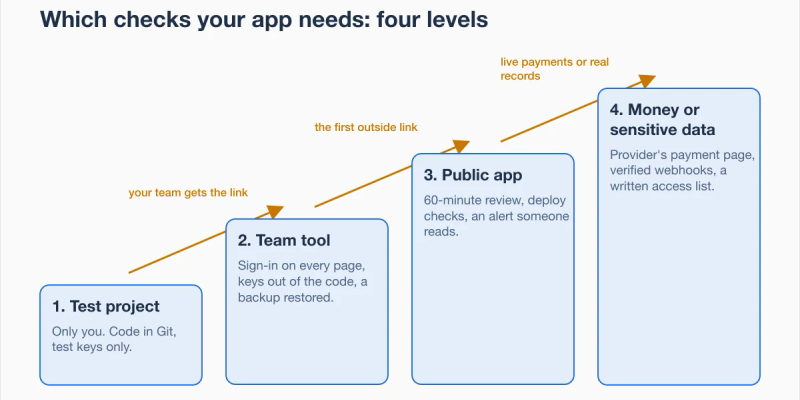
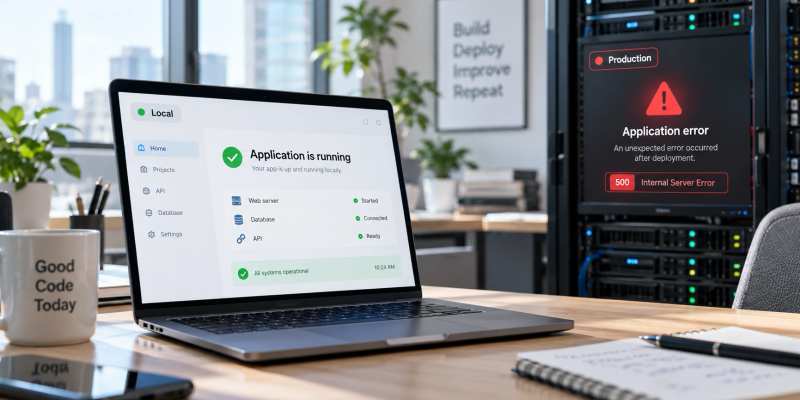
Daily updates only shorten the time you run an old version after a fix is out. For the rest of your app's safety, the security checks by level list the other checks. If an update works on your laptop but breaks on the server, these 7 checks help find the difference.
What can I check today?
Find out which version of your framework really runs. In your project folder, run npm ls followed by your framework's package name, for example next. It prints the installed version. Then run npm outdated, which lists each package with Current, Wanted and Latest columns.
npm ls next
npm outdated
Look at your framework's row and compare Current with the version named in its latest security release post. When we ran this on a test project pinned to 16.4.2 on 5 November, npm outdated showed Current 16.4.2, Wanted 16.4.2 and Latest 16.4.5. With an exact version in package.json, Wanted stays at that version, so the Latest column and the release post are the ones to read.
Next step
About the author

Category:Software DevelopmentRun and maintain
Back to Blog